

How to Stop IPTV Buffering Forever: A Complete 2026 Guide
How to Stop IPTV Buffering Forever: A Complete 2026 Guide
Is constant buffering ruining your movie night? You sit down to watch the big game or the latest blockbuster, only to be greeted by the dreaded spinning circle. It's frustrating, it's common, and fortunately, it's completely fixable.
In 2026, IPTV buffering is rarely about bad luck—it's about specific bottlenecks like ISP throttling, hardware limitations, or unoptimized app settings. Whether you're using a Firestick, Android Box, or Smart TV, the root cause is almost always traceable. This comprehensive guide will walk you through the exact technical steps to eliminate freezing forever, ensuring smooth, crystal-clear 4K streaming.
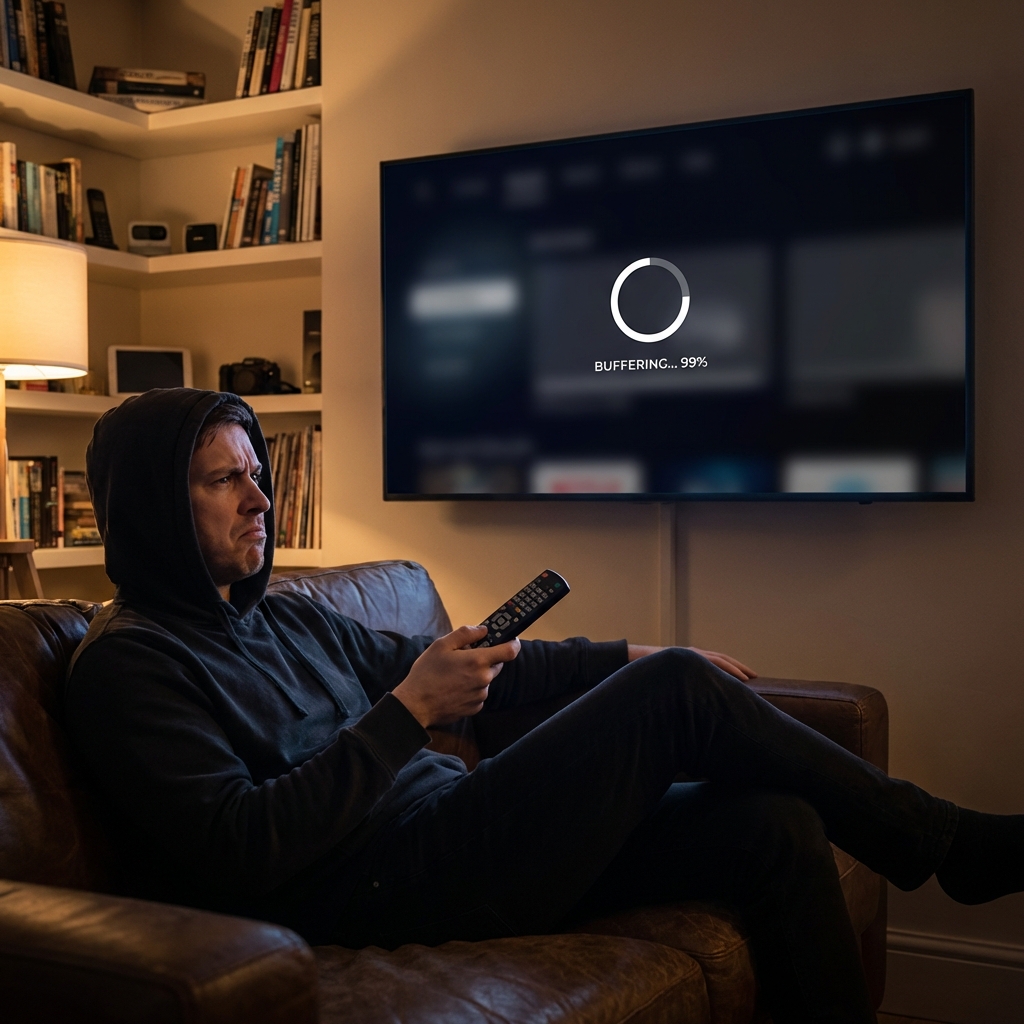
Why Is My IPTV Buffering? (The Root Causes)
Before we fix it, we need to understand why it's happening. Buffering isn't just "slow internet." It's a break in the data stream. When your device plays video faster than it can download the next chunk, it pauses to catch up.
Here are the three main villains of the IPTV world:
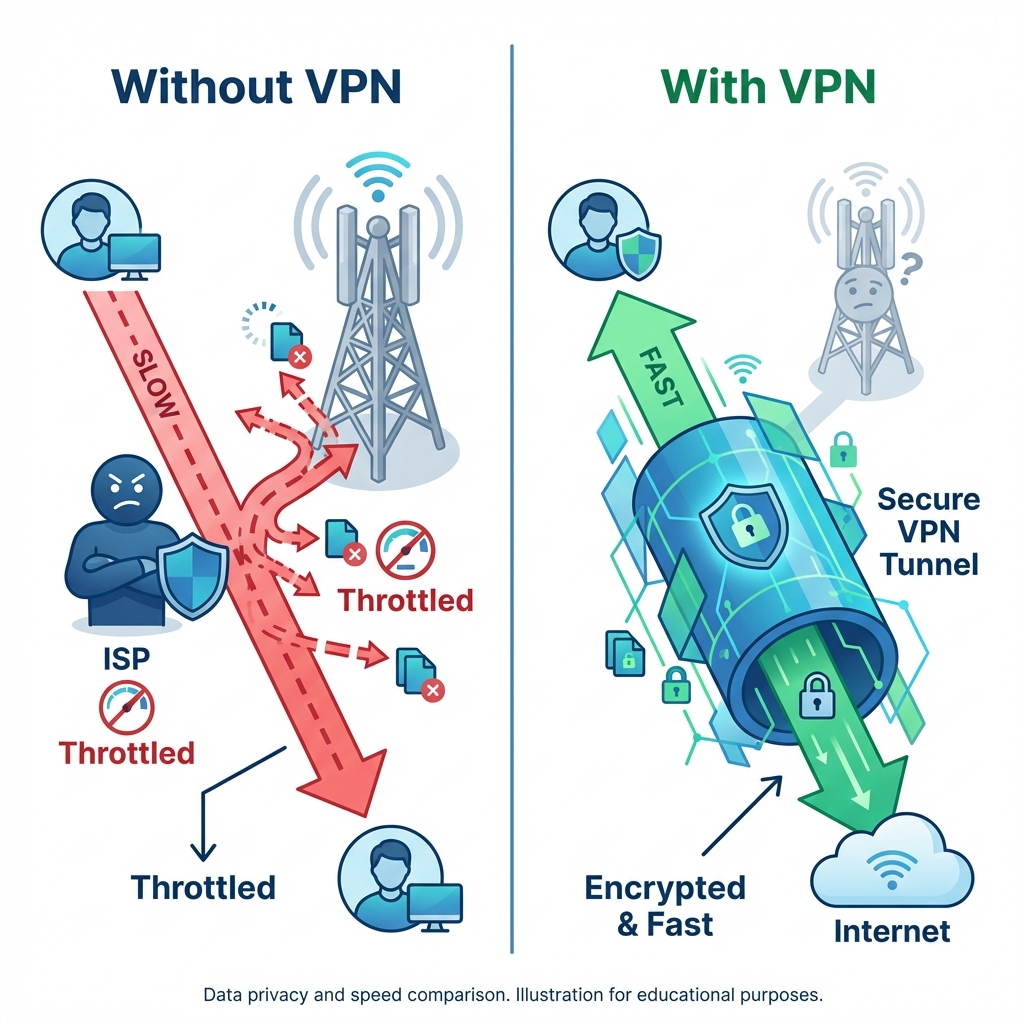
- ISP Throttling: Your Internet Service Provider (ISP) detects you are streaming (which uses a lot of data) and intentionally slows down your connection to "manage traffic." This often happens during peak hours (7 PM - 11 PM).
- Hardware Limitations: Your Firestick or Android box might be running out of RAM (memory) or overheating, making it struggle to process high-bitrate 4K streams.
- Network Jitter: Even if you have fast internet, an unstable Wi-Fi signal (jitter) causes "packets" of video data to get lost. If the packets don't arrive in order, the video stops.
Fix #1: Bypass ISP Throttling (The #1 Culprit)
This is the most common reason for buffering in 2026. ISPs are smarter than ever, and they use Deep Packet Inspection (DPI) to see exactly what you are doing. If they see you are streaming live sports or using an IPTV protocol, they throttle your speed down to a crawl.
The Solution: Use a VPN (Virtual Private Network).
A VPN creates an encrypted tunnel between your device and the internet. It scrambles your data so your ISP cannot see what you are doing—only that you are using data. If they can't tell you're streaming, they won't throttle you.
Steps to test:
- Run a speed test without a VPN. Note the result.
- Turn on a VPN and connect to a server close to your location.
- Run the speed test again.
- Try your IPTV stream.
If the stream improves immediately, you have confirmed ISP throttling.
Fix #2: Optimize Your Streaming Device
If your internet is fine, your device might be the bottleneck. Cheap Android boxes and older Firesticks often have low RAM (1GB or less). When the RAM fills up, the device chokes, causing stuttering video.
Clear Cache & Data
Every app stores temporary files called "cache." Over time, this cache gets bloated and can become corrupted.
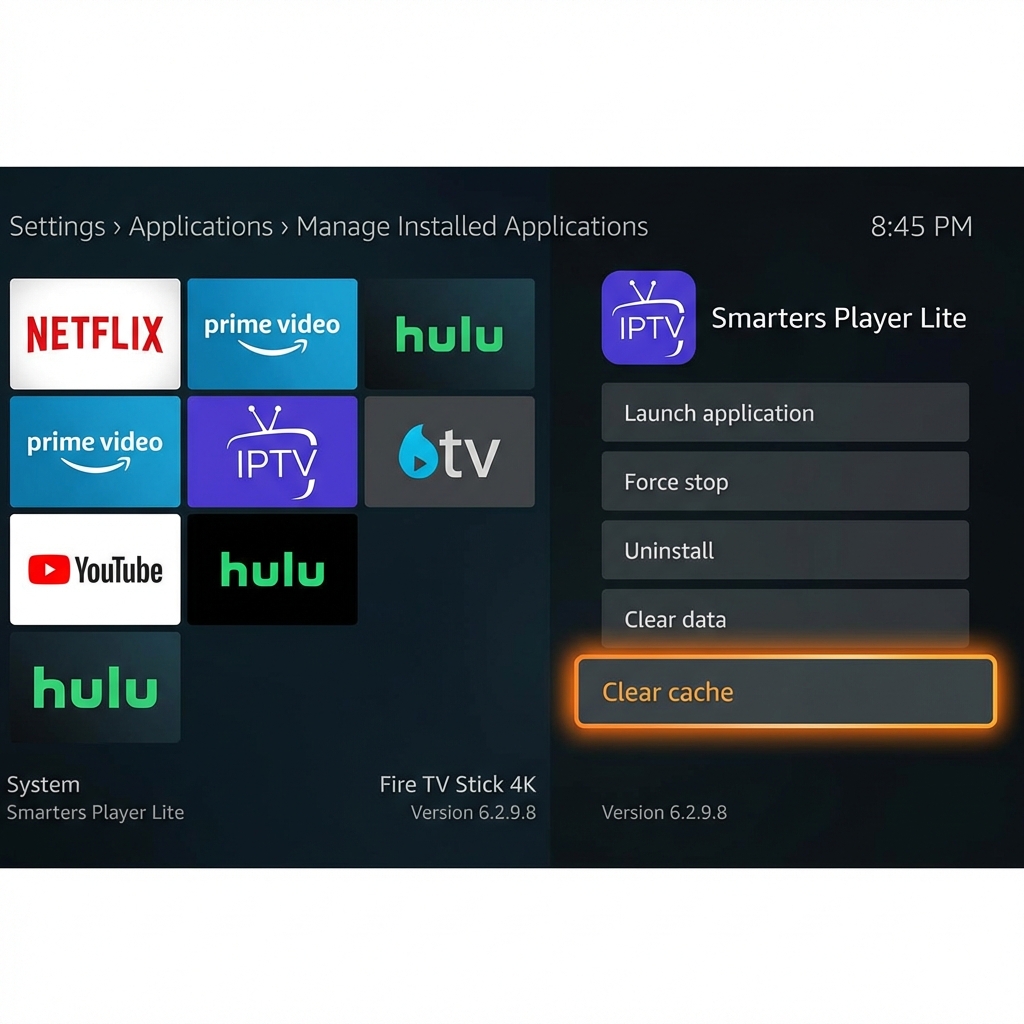
How to Clear Cache on Firestick:
- Go to Settings > Applications.
- Select Manage Installed Applications.
- Find your IPTV App (e.g., IPTV Smarters Pro, TiviMate).
- Select it and click Clear Cache.
- Optional: Click Force Stop to restart the app fresh.
Warning: Do not click "Clear Data" unless you want to reset the app completely (you will lose your login details).
Close Background Apps
Apps on modern streaming devices don't always close when you press the "Home" button; they stay running in the background, eating up CPU and RAM.
The Fix: Use an app like "Background Apps and Process List" (available on Firestick) to force-close all applications running in the background before you start your streaming session. This frees up maximum resources for your IPTV player.
Fix #3: Switch to Hardwired Connection (Ethernet)
Wi-Fi is convenient, but it is the enemy of stable live streaming. Wi-Fi signals fluctuate due to interference from:
- Thick walls
- Microwaves and baby monitors
- Neighbors' Wi-Fi networks
- Distance from the router
Why Ethernet Wins: An Ethernet cable provides a dedicated, full-duplex lane for your data. There is zero interference and significantly lower "jitter." For 4K streaming, consistency is more important than raw speed.
For Firestick Users: Amazon sells an Ethernet Adapter for Fire TV Stick. It's a cheap accessory (under $15) that allows you to plug a network cable directly into your Firestick. This is widely considered the single best hardware upgrade for IPTV stability.
Link to Pricing - Check out our premium plans optimized for high-stability connections.
Fix #4: Adjust Player Buffer Settings
Most modern IPTV players (like TiviMate or IPTV Smarters) allow you to adjust the "Buffer Size." This setting controls how much video the player pre-loads before it starts playing.
- Small Buffer: Channel loads instantly, but any network hiccup causes immediate freezing.
- Large Buffer: Channel takes 2-3 seconds to start, but it can weather network drops without stopping.
Recommendation: If you are experiencing buffering, go to your player's settings and increase the Buffer Size to Large or Very Large. You will sacrifice a second of "zapping" speed (channel switching time), but you will gain significant stability during playback.
Why 50,000+ Users Trust StreamVerse
We get it—you've been burned by cheap, unreliable providers before. You bought a "lifetime" subscription for $20, and it worked for a week before disappearing.
At StreamVerse, we do things differently. We invest in Anti-Freeze Technology 5.0 and premium server infrastructure with redundant backups.
- 50,000+ Active Users: A community of satisfied streamers.
- 99.9% Uptime: We monitor our servers 24/7.
- True 4K Quality: High-bitrate streams that look amazing on 65"+ TVs.
- 24/7 Support: Real humans ready to help you set up.
Don't just take our word for it—stability is our signature.


Conclusion: Enjoy Buffer-Free Streaming
Stopping IPTV buffering forever doesn't require a degree in computer science. By bypassing ISP throttling with a VPN, optimizing your hardware, hardwiring your connection, and adjusting your player settings, you can transform your streaming experience from frustrating to flawless.
Don't settle for low-quality streams or constant freezing. You deserve the premium experience.
Implementation Checklist:
- Test your speed and check for throttling.
- Clear your device cache.
- Consider an Ethernet adapter.
- Get StreamVerse Premium and say goodbye to buffering.
Ready for Buffer-Free Streaming?
Join the elite club of streamers who never stare at a loading screen.
Limited time offer. Instant activation.