
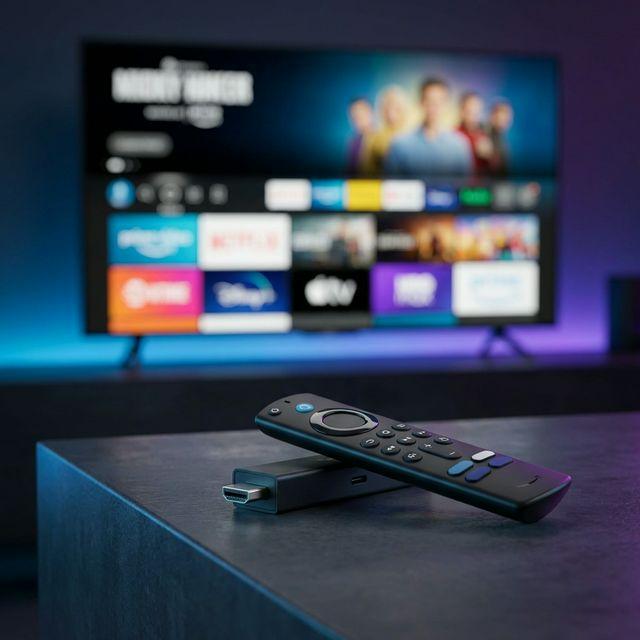
Best IPTV for Firestick 2026: The Ultimate Streaming Guide
Transform your Amazon Fire TV Stick into the ultimate entertainment hub with StreamVerse IPTV. Get instant access to 50,000+ live channels, 140,000+ movies & series, and 4K/60fps sports streaming—all optimized for Firestick.
How to Install IPTV on Firestick (Step-by-Step)
Setting up StreamVerse IPTV on your Amazon Fire TV Stick or Fire TV Cube takes less than 5 minutes. Our service works seamlessly with all Firestick models, including the Fire TV Stick 4K, Fire TV Stick 4K Max, and Fire TV Cube. Follow this comprehensive guide to get streaming instantly.
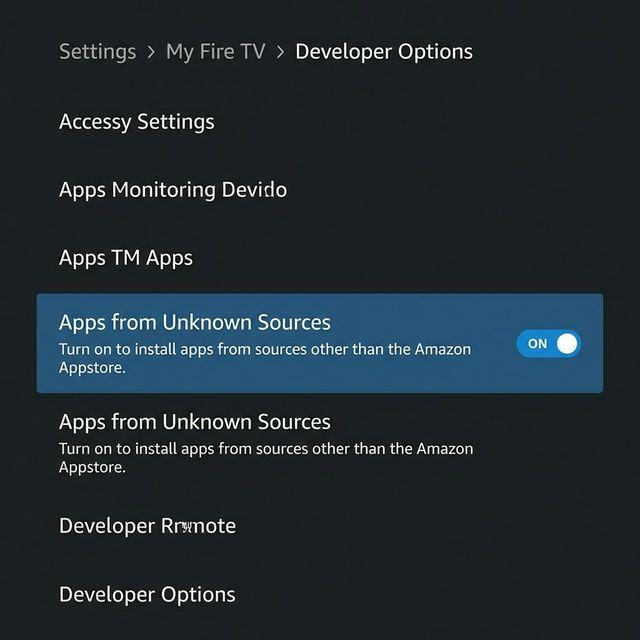
1Enable Apps from Unknown Sources
This is a critical first step that allows your Firestick to install third-party IPTV applications. Don't worry—this is completely safe and reversible.
- From your Firestick home screen, navigate to Settings (gear icon at the top)
- Select My Fire TV or Device
- Click on Developer Options
- Turn ON Apps from Unknown Sources
- When the warning appears, click Turn On to confirm
💡 Pro Tip: If you don't see "Developer Options," you may need to enable it first by going to Settings → My Fire TV → About → Click on "Fire TV Stick" 7 times rapidly.
2Install the Downloader App
The Downloader app is the easiest way to sideload IPTV applications onto your Firestick. It's available directly from the Amazon App Store.
- Return to the Firestick home screen
- Click the Search icon (magnifying glass)
- Type "Downloader" using the on-screen keyboard
- Select the Downloader app by AFTVnews.com
- Click Download or Get, then wait for installation to complete
- Click Open when finished
3Download IPTV Smarters Pro
IPTV Smarters Pro is the recommended player for StreamVerse. It offers the best performance, EPG integration, and user experience on Firestick.
- Open the Downloader app (allow permissions if prompted)
- In the URL field, enter: https://iptvsmarters.app
- Click Go and wait for the APK file to download
- When download completes, click Install
- After installation, click Done (not "Open" yet)
- When Downloader asks to delete the file, click Delete to free up space
⚠️ Important: If you see a "Parse Error" during installation, your Firestick may have downloaded a corrupted file. Delete the APK in Downloader and try downloading again with a stable internet connection.
4Enter Your Xtream Codes Credentials
After subscribing to StreamVerse, you'll receive an email with your login credentials. Here's how to activate your service:
- Open IPTV Smarters Pro from your Firestick apps
- Select Login with Xtream Codes API
- Enter the Server URL, Username, and Password from your welcome email
- Click Add User
- Wait 5-10 seconds for the app to load your channel list and EPG
- Start streaming immediately—no additional configuration needed!
✅ Success Indicator: Once logged in, you should see categories like "Live TV," "Movies," "Series," and "Catch-up" in the main menu. If you see these, your setup is complete!
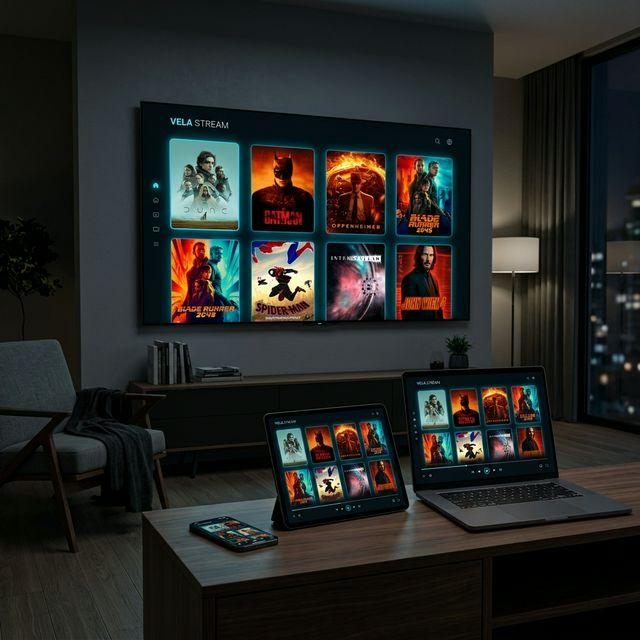
Alternative IPTV Players for Firestick
While we recommend IPTV Smarters Pro for most users, StreamVerse works with all major IPTV players. Here are other excellent options:
TiviMate
Premium EPG experience with advanced recording features. Best for power users who want maximum customization.
Download: tivimate.com
Perfect Player
Lightweight and fast. Ideal for older Firestick models (1st/2nd gen) with limited processing power.
Download via Downloader
OTT Navigator
Beautiful interface with Netflix-style browsing. Great for families who prioritize ease of use.
Available on Amazon Store
Why StreamVerse is the Top Choice for Firestick Users
No-Buffering Technology
Our Anti-Freeze Technology ensures smooth streaming even during peak hours. With 99.9% uptime and adaptive bitrate streaming, you'll never miss a crucial moment in live sports or your favorite shows. Our servers are optimized specifically for Firestick's hardware capabilities.
4K/60fps Sports Streaming
Watch every game in stunning 4K Ultra HD at 60 frames per second. StreamVerse delivers crystal-clear sports coverage from NFL, NBA, MLB, NHL, UFC, Premier League, La Liga, and international leagues—all optimized for Firestick 4K and 4K Max devices.
24/7 Expert Support
Our dedicated support team is available around the clock via WhatsApp, email, and live chat. Whether you need help with Firestick installation, troubleshooting buffering issues, or updating your app, we respond within minutes—not hours or days.
Instant 5-Minute Setup
Unlike cable TV that requires scheduling a technician visit, StreamVerse activates within minutes of payment. Download the app, enter your Xtream Codes credentials, and start watching immediately. No contracts, no installation fees, no waiting.
StreamVerse vs Cable TV vs Other IPTV Providers
| Feature | StreamVerse IPTV | Cable TV | Other IPTV |
|---|---|---|---|
| Monthly Cost | $19.99 - $59.99 | $80 - $150+ | $15 - $40 |
| Live Channels | 50,000+ | 200 - 500 | 5,000 - 15,000 |
| VOD Library | 140,000+ titles | Limited (extra cost) | 20,000 - 50,000 |
| 4K Quality | ✓ 4K/60fps | ✓ (limited channels) | ✗ Most 720p/1080p |
| Setup Time | 5 minutes | 3-7 days (technician) | 10-30 minutes |
| Contract Required | ✗ No contract | ✓ 12-24 months | ✗ Usually no |
| Uptime Guarantee | 99.9% | 95-98% | 90-95% |
| Support Response | Under 5 minutes | 24-48 hours | Varies (often slow) |
Pricing Plans for Every Viewer
Choose the plan that fits your streaming needs. All plans include 50,000+ channels, 140,000+ VOD titles, 4K streaming, and 24/7 support. No hidden fees, no contracts.
3 Months Plan
Perfect for testing our service
$39.99 $19.99
- 50,000+ Live Channels
- 140,000+ Movies & Series
- 4K/60fps Sports Streaming
- EPG & Catch-up TV
- 24/7 Support

Yearly Plan
Most popular choice
$239.99 $59.99
- Everything in 3 Months Plan
- Save $180/year
- Priority Support
- Free App Updates
- Locked-in Price Guarantee

6-Month Plan
Great balance of value & flexibility
$119.99 $37.99
- 50,000+ Live Channels
- 140,000+ Movies & Series
- 4K/60fps Sports Streaming
- Save $82
- 24/7 Support
💡 Need multiple screens? Add extra connections for just $10/month per screen
Frequently Asked Questions
Is it legal to use IPTV on Firestick?
Using IPTV technology and apps like IPTV Smarters Pro on your Firestick is completely legal. The legality depends on the content provider's licensing. StreamVerse operates as a subscription-based service. We recommend users verify that their IPTV provider has proper content distribution rights in their region. As with any streaming service, users are responsible for complying with local laws and regulations.
Do I need a VPN to use IPTV on Firestick?
A VPN is not required to use StreamVerse IPTV on Firestick, but many users choose to use one for additional privacy and security. A VPN can help protect your internet activity from your ISP and can sometimes improve streaming performance by preventing ISP throttling. Popular VPN options for Firestick include ExpressVPN, NordVPN, and Surfshark, all of which have dedicated Firestick apps available in the Amazon App Store.
How do I update the IPTV app on my Firestick?
To update IPTV Smarters Pro or other sideloaded apps on Firestick:
1. Open the Downloader app
2. Enter the same URL you used for the original installation
3. Download the latest APK file
4. Click Install when prompted
5. The new version will install over the old one, preserving your login credentials
We recommend checking for updates every 2-3 months to ensure optimal performance and access to new features. You'll receive email notifications when major updates are available.
Will IPTV work on all Firestick models?
Yes! StreamVerse IPTV is compatible with all Amazon Fire TV devices, including:
• Fire TV Stick Lite (2020+)
• Fire TV Stick (3rd Gen)
• Fire TV Stick 4K
• Fire TV Stick 4K Max
• Fire TV Cube (all generations)
• Fire TV Edition Smart TVs
For the best 4K streaming experience, we recommend the Fire TV Stick 4K or 4K Max. Older models (1st and 2nd gen) will work but may be limited to 1080p quality.
What internet speed do I need for IPTV on Firestick?
Recommended internet speeds for optimal streaming:
• SD Quality (480p): 3-5 Mbps
• HD Quality (720p): 5-8 Mbps
• Full HD (1080p): 10-15 Mbps
• 4K/UHD Streaming: 25-35 Mbps
For households with multiple devices streaming simultaneously, we recommend at least 50 Mbps. Use a wired Ethernet connection with the Amazon Ethernet Adapter for the most stable performance, especially for 4K sports streaming.
Can I use my StreamVerse subscription on other devices besides Firestick?
Absolutely! Your StreamVerse subscription works on any device that supports IPTV players. This includes:
• Android devices: Phones, tablets, Android TV boxes
• iOS devices: iPhone, iPad (via GSE Smart IPTV)
• Smart TVs: Samsung, LG, Sony (see our guide on watch on other smart TVs)
• Windows/Mac computers: Via VLC or dedicated IPTV apps
• MAG boxes and Formuler devices
Your subscription includes the number of simultaneous connections you purchased (1, 2, or 3 screens), which can be any combination of these devices.
What should I do if I experience buffering on my Firestick?
If you experience buffering, try these troubleshooting steps:
1. Check your internet speed: Run a speed test to ensure you meet minimum requirements
2. Restart your Firestick: Unplug for 30 seconds, then plug back in
3. Clear app cache: Settings → Applications → Manage Installed Applications → IPTV Smarters Pro → Clear Cache
4. Switch to a wired connection: Use Amazon's Ethernet Adapter for more stable streaming
5. Lower video quality: In IPTV Smarters settings, change from 4K to 1080p or 720p
6. Contact support: Our team can switch you to a different server optimized for your location
Most buffering issues are resolved within 5 minutes using these steps.
How do I get the best US channels for Firestick?
StreamVerse includes comprehensive US channel coverage with over 2,000 American channels. To access the best US channels for Firestick, navigate to the 'USA' category in your IPTV player. You'll find:
• All major networks (ABC, NBC, CBS, FOX)
• Premium cable channels (HBO, Showtime, Starz)
• Sports networks (ESPN, FS1, NBC Sports, NFL Network)
• News channels (CNN, Fox News, MSNBC)
• Entertainment (AMC, TNT, USA Network)
Channels are organized by category and include full EPG data for easy browsing.
Explore More StreamVerse Guides
Start Streaming 10k+ Channels on Firestick in 5 Minutes
Join 50,000+ happy streamers who've already made the switch. Get 4K quality, 99.9% uptime, and instant setup today.
Start Your Trial Now →✓ No contract required ✓ Cancel anytime ✓ 24/7 support